
Math editor
A WYSIWYG math editor: type fractions, integrals, matrices and symbols and see each formula exactly as it will print. Find any symbol by its LaTeX or math name.
AI math editor for Android and iOS
Mathify is a math editor and document creator in one app. Write math documents, solve equations, scan formulas and PDFs with OCR, draw with a stylus, and export to PDF.


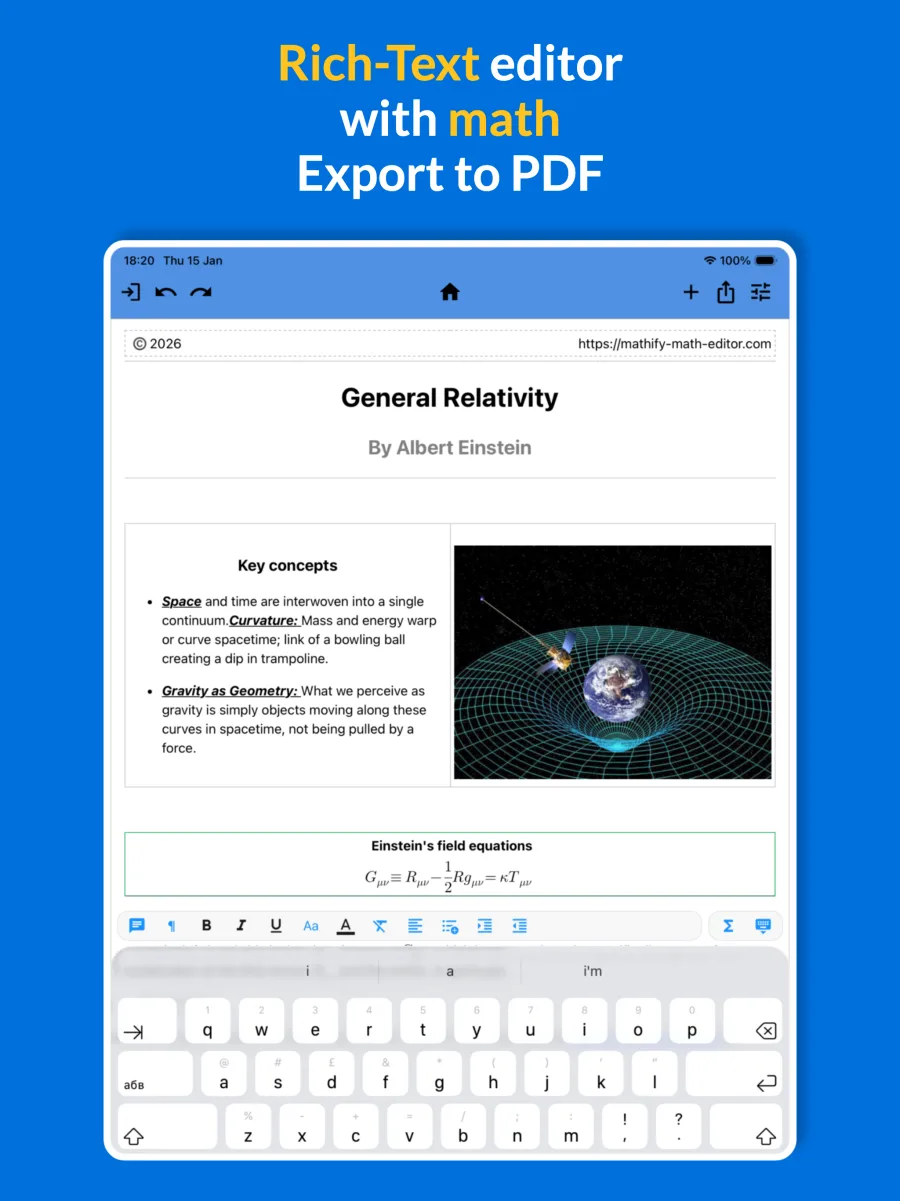
Mathify is an AI math editor for Android and iOS. It combines a WYSIWYG equation editor, a rich-text word processor for math documents, a math solver powered by WolframAlpha, OCR scanning and handwriting recognition in one app, and it exports your work to PDF, LaTeX or images.
From a quick formula to a complete document, on your phone or tablet.
A WYSIWYG math editor: type fractions, integrals, matrices and symbols and see each formula exactly as it will print. Find any symbol by its LaTeX or math name.
A rich-text word processor with math built in. Combine headings, lists, tables, images and equations in a single math document.
Solve equations and calculate results without leaving the editor, powered by the WolframAlpha computational engine.
Point your camera at a printed or handwritten formula. AI-powered OCR scanning converts it into an equation you can edit.
Scan pages from a PDF or a photo, then edit the recognized text and math like any other Mathify document.
Describe what you need and let AI draft a formatted document with correctly typeset math that you can keep editing.
Draw equations with a stylus or your finger. AI handwriting recognition turns your strokes into clean mathematical notation.
Export a finished document to PDF, copy any formula as LaTeX or Unicode Math, or share it as a PNG or JPG image.
Three steps from an idea, a textbook page or a whiteboard to a finished document.
Type with the math keyboard, scan a page with OCR, or draw the formula with a stylus.
Format the text, adjust every equation visually, and send it to the math solver when you need an answer.
Export to PDF, copy LaTeX, or paste an image into Google Docs, Microsoft Word or any messaging app.
Short demos of the editor. More guides are on the tutorials page.
Write homework and lecture notes with real math notation, and check your results with the built-in solver.
Prepare worksheets, tests and handouts on a phone or tablet, then export them to PDF for printing or sharing.
Capture formulas from papers with OCR and move them into your LaTeX workflow in a few taps.
Mathify is free to download on Google Play and the App Store. Some advanced features, including OCR scanning and handwriting recognition, are part of the Pro version.
Yes. Mathify works as a math solver through its WolframAlpha integration: write, scan or draw an equation, then calculate the result or solve it directly from the editor.
Documents export to PDF. Individual formulas can be copied as LaTeX or Unicode Math, or saved as PNG or JPG images.
Yes. You can draw equations with a stylus or a finger on phones and tablets, and AI recognition converts the drawing into an editable formula.
No. Mathify is a visual editor, so you build formulas by tapping and typing. If you already know LaTeX, you can search for symbols by their LaTeX names and export LaTeX code.
Looking for a specific symbol? Browse the supported LaTeX commands or read more about Mathify.